
Import from D&D Beyond
The OpenFray Importer is a free browser add-on. It reads a creature’s page on D&D Beyond and turns it into an OpenFray creature, so you don’t have to type a whole stat block in by hand. This page covers installing it and using it.
Download the importer
Section titled “Download the importer”Install it from your browser’s store:
- Google Chrome or Edge — OpenFray Importer on the Chrome Web Store.
- Firefox — OpenFray Importer on Firefox Browser Add-ons.
Both links are in OpenFray’s Settings too, under the Importer tab.
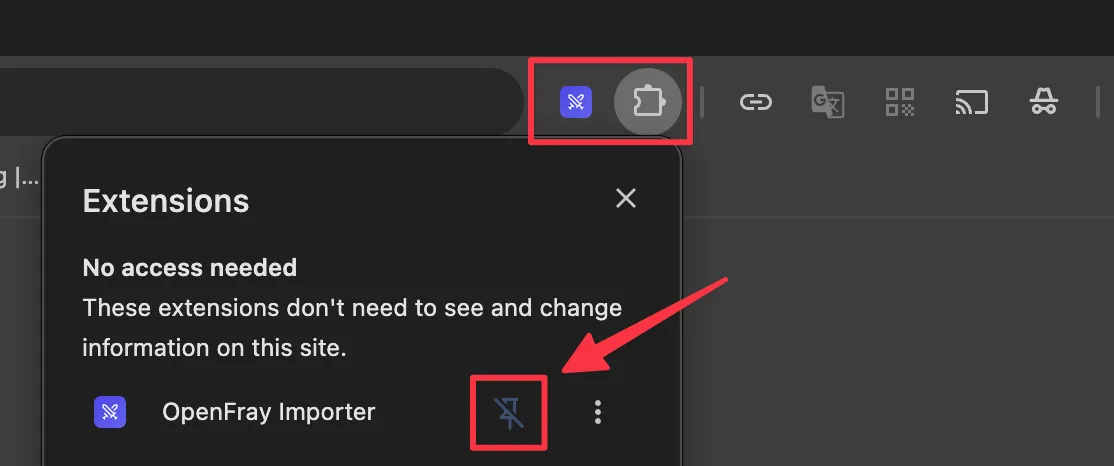
Once it’s installed, pin it to your browser’s toolbar so it’s one click away:
How to use it
Section titled “How to use it”-
On D&D Beyond, open a creature and go to its Details page, the one with the full stat block.
-
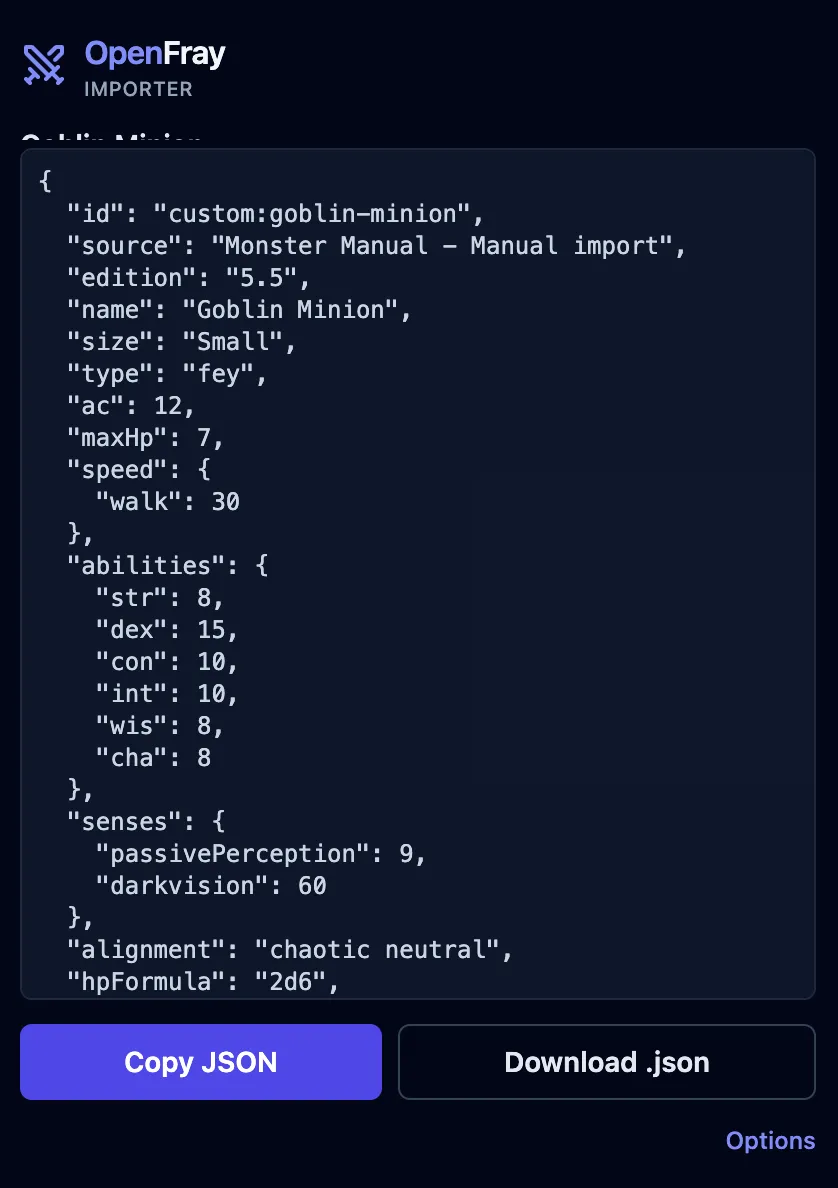
Click the OpenFray icon in your toolbar. The add-on reads the page and builds an OpenFray creature from it, showing you the result.
-
Click Copy JSON. (Download .json saves it as a file instead, if you’d rather keep it or send it to someone.)
-
In OpenFray, open the compendium’s Creatures tab and choose Import a creature. Paste what you copied into the box and click Import.
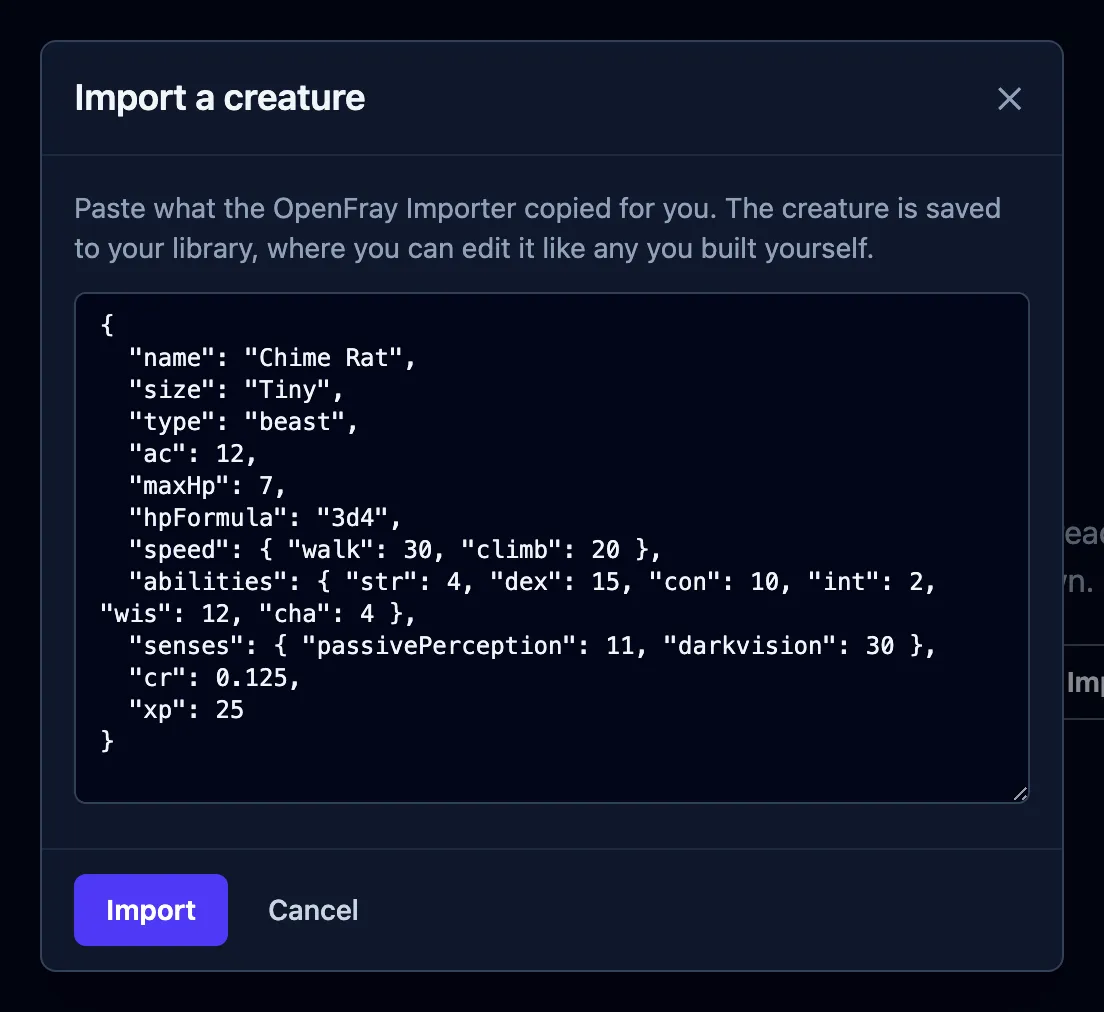
The creature is saved to your library as an ordinary custom creature. You can edit it afterward like anything you built yourself, and drop it into any fight. Because it’s saved to your library, this last step needs an account.
What it brings across
Section titled “What it brings across”The importer maps the whole stat block, including:
- abilities, armor class, hit points, speed, and senses;
- attacks, saving throws, and recharge abilities;
- legendary actions;
- the spell list;
- the flavor description.
It works out from the page whether the creature uses the 5.5e (2024) or 5th edition (2014) rules.
Settings
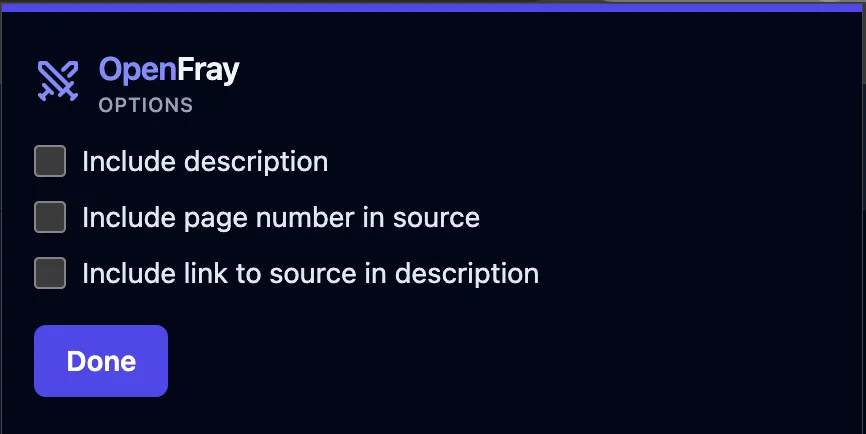
Section titled “Settings”Click Options in the importer’s popup to toggle what comes across:
- Include description
- Include page number in source
- Include link to source in description
What it can and can’t see
Section titled “What it can and can’t see”The importer only reads the page you’re looking at, and only when you click it. It carries no game content of its own: it reformats the creature already on your screen into OpenFray’s format, on your own computer. It’s a free, unofficial fan tool, and it isn’t made or approved by Wizards of the Coast or D&D Beyond.