
The game log
The game log is the record of everything that happens in a fight: every roll, every spell, every point of damage, every condition. It writes itself as you play, so nothing is rolled in secret and you can always check what just happened. This page covers the sidebar feed and the full history.
The sidebar feed
Section titled “The sidebar feed”Game log shows the most recent entries, newest first: on a laptop at the bottom of the right-hand column, on a phone in the Controls screen. It’s the running feed you watch during a fight.
Each line carries a colored dot for its kind, so a roll, a spell, and a hit are easy to tell apart at a glance. A resolved attack collapses into a single line: the to-hit, the outcome, and the damage by type.
The full history
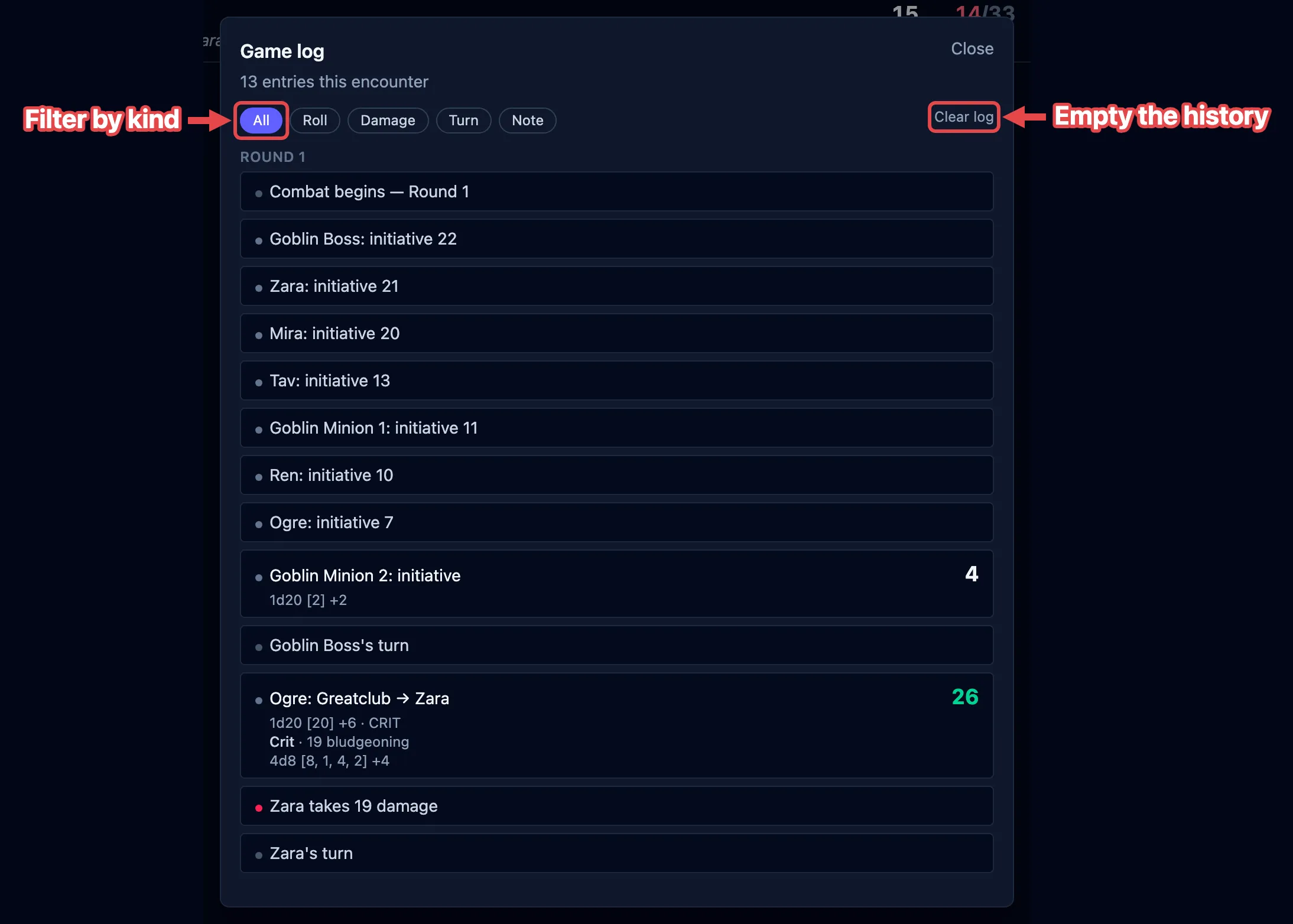
Section titled “The full history”Click View all to open the full history. It’s grouped by round, oldest first, so you can retrace the whole fight from the top.
Filtering by kind
Section titled “Filtering by kind”The chips along the top filter the history to one kind of entry. Only the kinds present in this fight are shown:
| Filter | What it shows |
|---|---|
| All | Everything, in order. |
| Roll | Dice rolls: attacks, saves, checks, initiative. |
| Spell | Spells cast. |
| Action | Actions used. |
| Condition | Conditions and effects applied or cleared. |
| Concentration | Concentration started, held, or broken. |
| Damage | Hit-point damage dealt. |
| Heal | Healing. |
| Turn | Turn and round changes. |
| Rest | Short and long rests. |
| Death | Death saves and knockouts. |
| Note | Notes you left, and anything else. |
Clear log empties the history. The log is also cleared when you remove everyone from the board with the trash can (see Clearing the board); a plain Stop keeps it.
What gets logged
Section titled “What gets logged”You don’t have to write anything down. OpenFray logs the fight beginning and ending, each turn and round, spells cast, damage and healing, conditions and effects applied and cleared, concentration starting and breaking, knockouts and death saves, and rests. Roll a die by hand from the dice bar and that lands in the log too.