
Roll saving throws
Saving throws come up two ways: an action forces one (a dragon’s breath, a creature’s stinger), or a spell makes a whole group roll at once (the Fireball case). Both use the same box. OpenFray rolls for the creatures, works in their save bonuses, and applies the damage; players roll their own and you record the result.
A save forced by an action
Section titled “A save forced by an action”- Select the creature and click the action in its stat block. The save box opens, already set up from the stat block: the ability, the DC, and the on-save rule: save → half damage, save → no damage, or save → negates effect.
- Pick the targets. Your players and the foes are listed separately.
- Type the damage, either a formula like
8d6or a flat number. - Click Roll saves. OpenFray rolls each creature’s save; for a player, you record what they rolled.
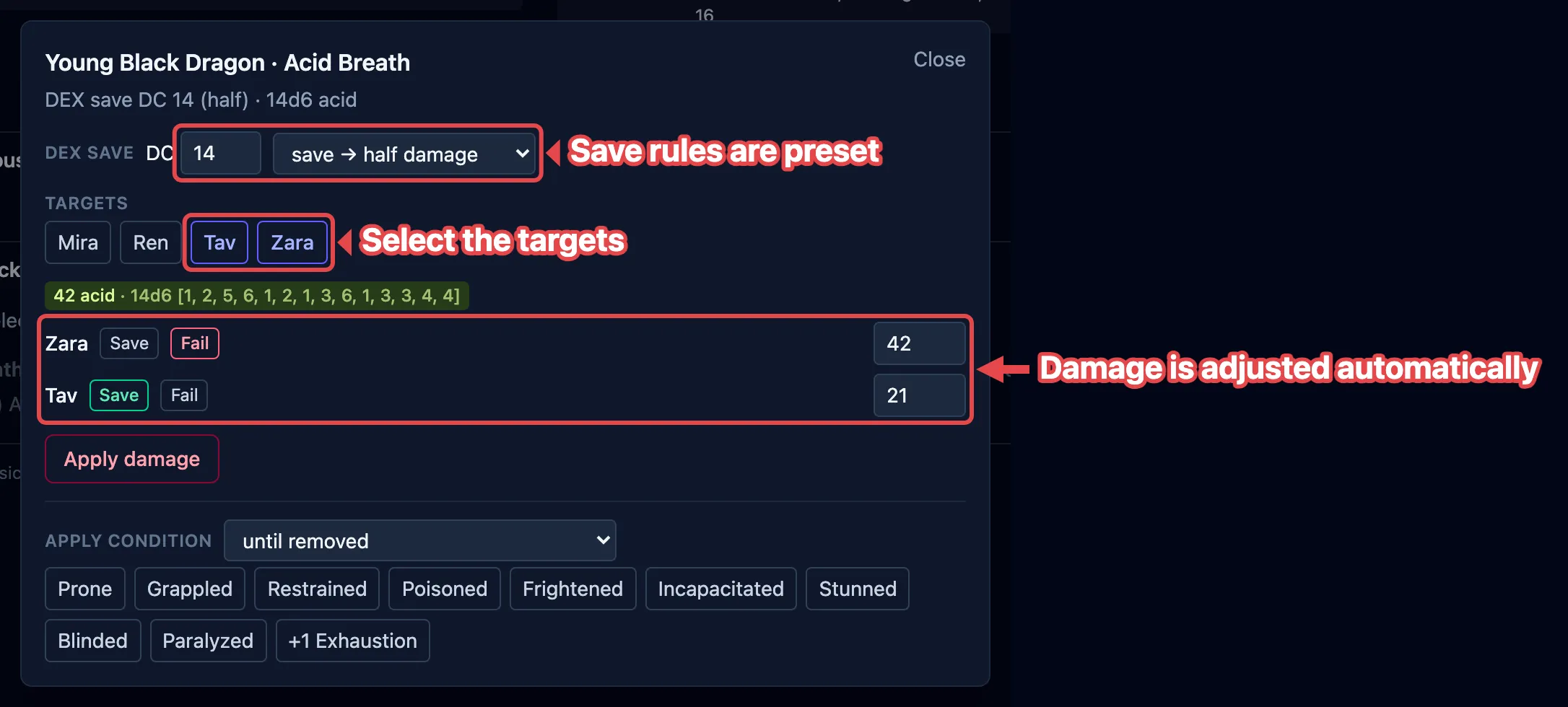
If the action deals damage with no save at all, the box says Automatic area damage, no save and the button reads Roll damage instead.
Magic Resistance and Evasion
Section titled “Magic Resistance and Evasion”Two common defenses are handled for you when they apply:
- Magical Effect — a creature with Magic Resistance rolls with advantage against spells and other magical effects. The Magical Effect toggle marks the save as magical; it’s pre-checked when a spell forces the save.
- Evasion — a creature with Evasion takes no damage on a success and half on a failure, instead of the usual half on success. OpenFray shows an Evasion marker on those creatures and works it into the damage.
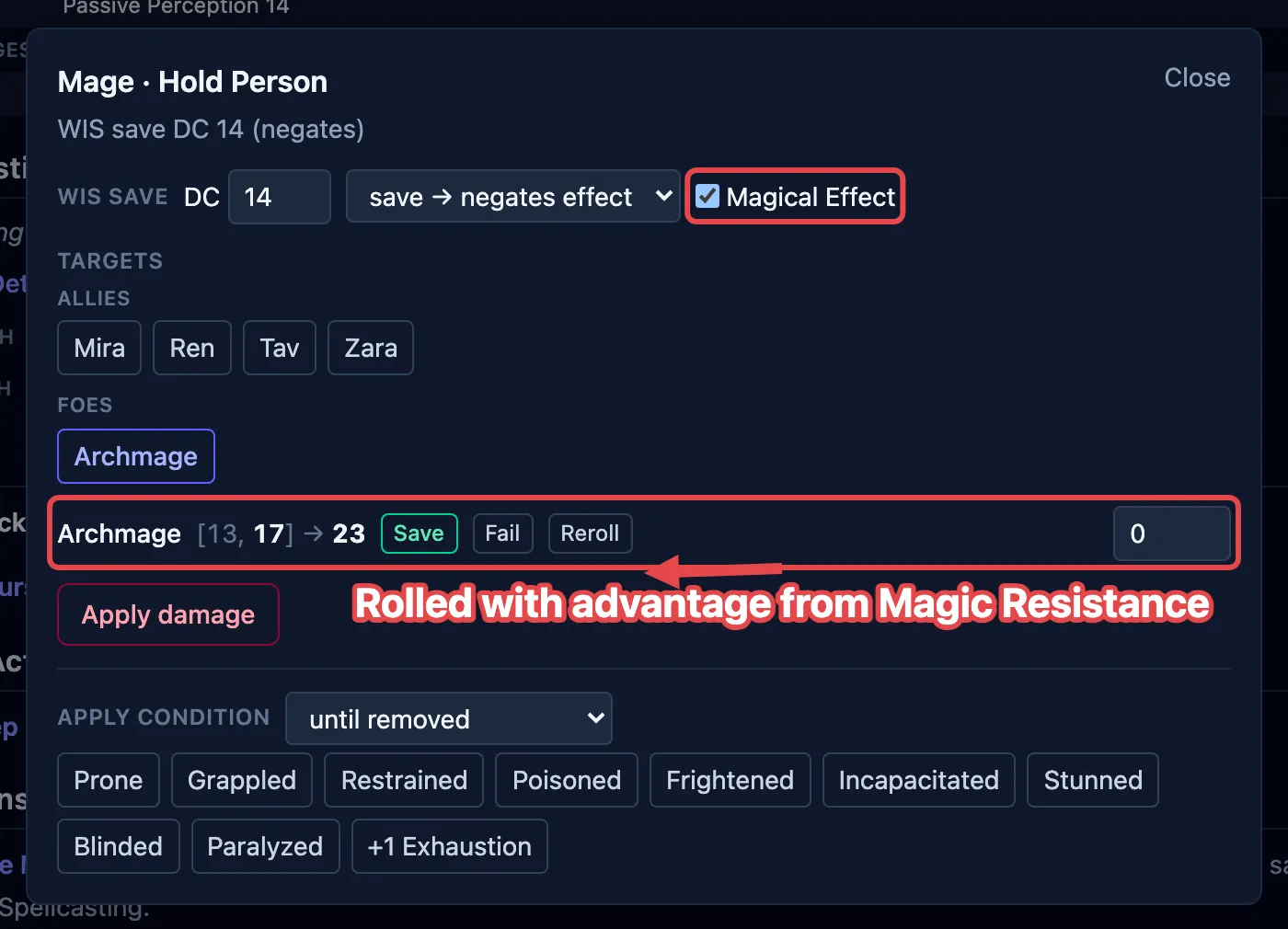
Rerolling one creature’s save
Section titled “Rerolling one creature’s save”Every creature’s row carries a Reroll button. It rolls that creature’s save again and updates what that creature takes; everyone else keeps the result you’ve already settled. The damage itself doesn’t change, because one roll is shared by the whole area.
A player’s row has no Reroll. Their dice stay with them: record what they rolled with Save or Fail, and change it there if they roll again.
Turning a failed save into a success
Section titled “Turning a failed save into a success”A creature with Legendary Resistance can choose to succeed on a save it failed. When a creature that has uses left fails, the box offers to turn the failure into a success, and one tap spends a use. See Spend creature resources.
Applying the result
Section titled “Applying the result”Once the saves are rolled:
- Click Apply damage to take the damage off everyone at once: full, half, or none per creature, following the on-save rule, each creature’s resistances and immunities, and any Evasion.
- For a save-or-be-affected spell, the box also offers to drop the condition (or the spell’s effect) on just the creatures that failed. +1 Exhaustion sits with those chips, and raises each failed creature from the level it already carries. See Exhaustion.
Group saves
Section titled “Group saves”Group save is the standalone version: one spell, a whole group rolling against it at once, with no action to start from. Open it from the top of the screen, or let a saving throw spell open it for you.
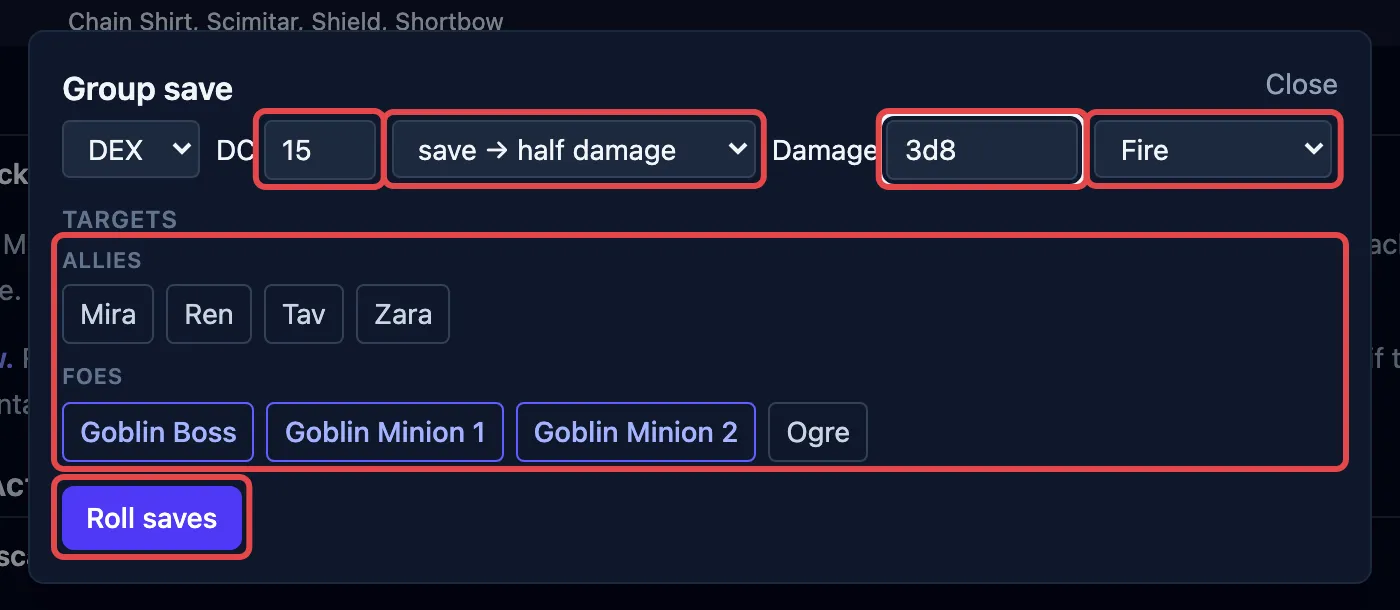
- Pick the ability and the DC, and what a successful save earns: half damage, no damage, or the effect simply doesn’t happen. Casting a spell fills all of this in.
- Type the damage, either a formula like
8d6or a flat number if the player already rolled it. - Pick the damage type beside it, such as Fire for a Fireball. OpenFray then works in each target’s resistances and immunities, the same way it does for an attack. Leave it on Untyped and the number lands as you typed it, because there’s nothing for a defense to match.
- Choose the targets. Your players and the foes are listed separately.
- Click Roll saves. OpenFray rolls for the creatures; you type what your players rolled.
- Click Apply damage to take it off everyone in one click. For a save-or-be-affected spell, drop the condition on the ones that failed.
Casting a saving throw spell opens this box already filled in. See Cast a spell.