
Resolve an attack
When a creature attacks, you roll it from its stat block and OpenFray does the rest: the to-hit roll against the target’s armor class, the damage, and any resistance or immunity the target has. This page walks through one attack from start to finish.
Rolling an attack
Section titled “Rolling an attack”- Click the attacking creature in the tracker to select it. Its stat block fills the middle column.
- In the stat block, click the name of the attack: Bite, Longsword, Fire Breath. The attack box opens.
- Pick the Target from the chips at the top. Allies and foes are listed separately.
- Click Roll attack. OpenFray rolls a d20, adds the attack’s bonus and any modifiers from effects, and shows the total against the target’s armor class: Hit or Miss.
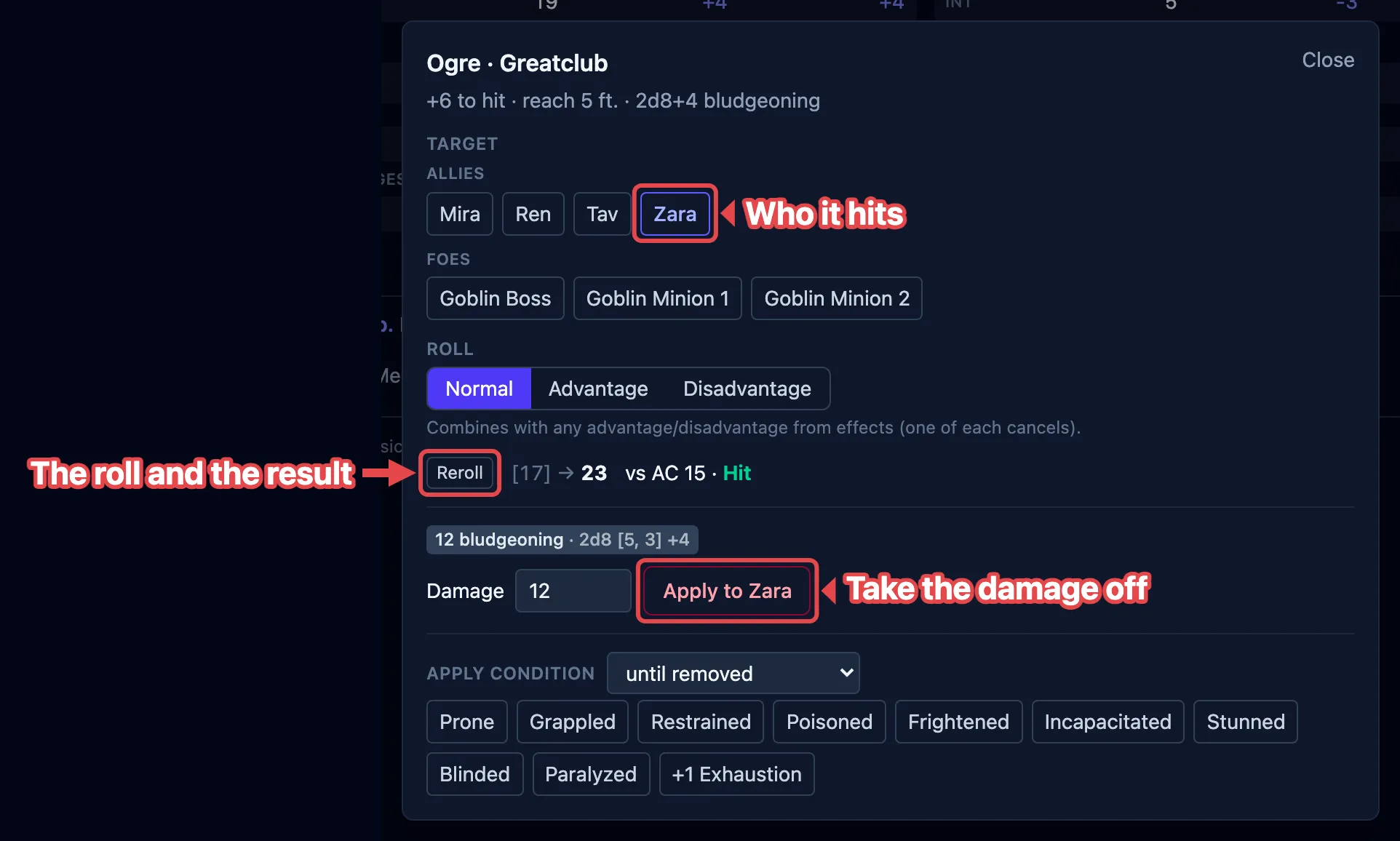
Roll attack becomes Reroll after the first roll, so you can roll again if you need to.
The video below shows a full attack, from clicking the action to applying the damage:
Advantage and disadvantage
Section titled “Advantage and disadvantage”Above the roll button, the Roll setting is Normal, Advantage, or Disadvantage. Set it before you roll.
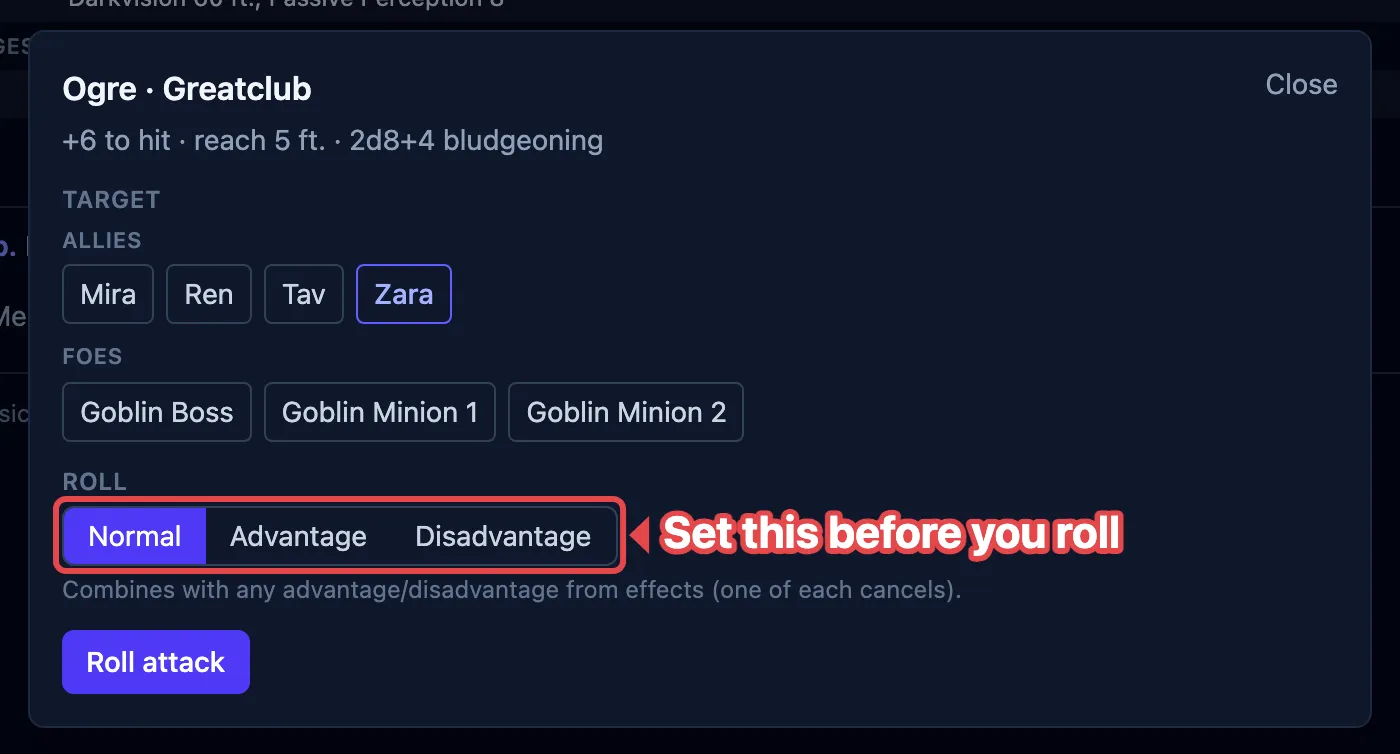
This combines with any advantage or disadvantage already on the board from effects; one of each cancels out. So if the target has an effect that grants attackers advantage (a barbarian’s Reckless Attack), you can leave this on Normal and still roll with advantage.
Critical hits
Section titled “Critical hits”A natural 20 is a Critical hit! and a natural 1 is a Critical miss!. How much a crit adds to the damage follows your campaign’s crit rule. Without a campaign, OpenFray rolls the damage dice twice, the standard rule.
A melee hit on a Paralyzed or Unconscious target is a critical automatically. The box shows (auto-crit, Paralyzed target) or (auto-crit, Unconscious target) so you know why.
Applying the damage
Section titled “Applying the damage”After a hit, OpenFray rolls the attack’s damage and shows it as a pill for each damage type.
- Check the Damage field. It’s filled in with the rolled total, and you can edit it.
- Click Apply to {target} to take the damage off the target’s hit points.
Damage is never applied until you press that button. On a miss the button is dimmed; you can still apply if you mean to (adjust the number first).
The box also offers condition chips with a duration beside them, for the attacks that leave something on the target: a bite that grabs, a stinger that poisons. Tick the condition and it lands on the target in the same step. +1 Exhaustion sits with those chips, for the attacks that cost a level. See Exhaustion.
Resistance, immunity, and vulnerability
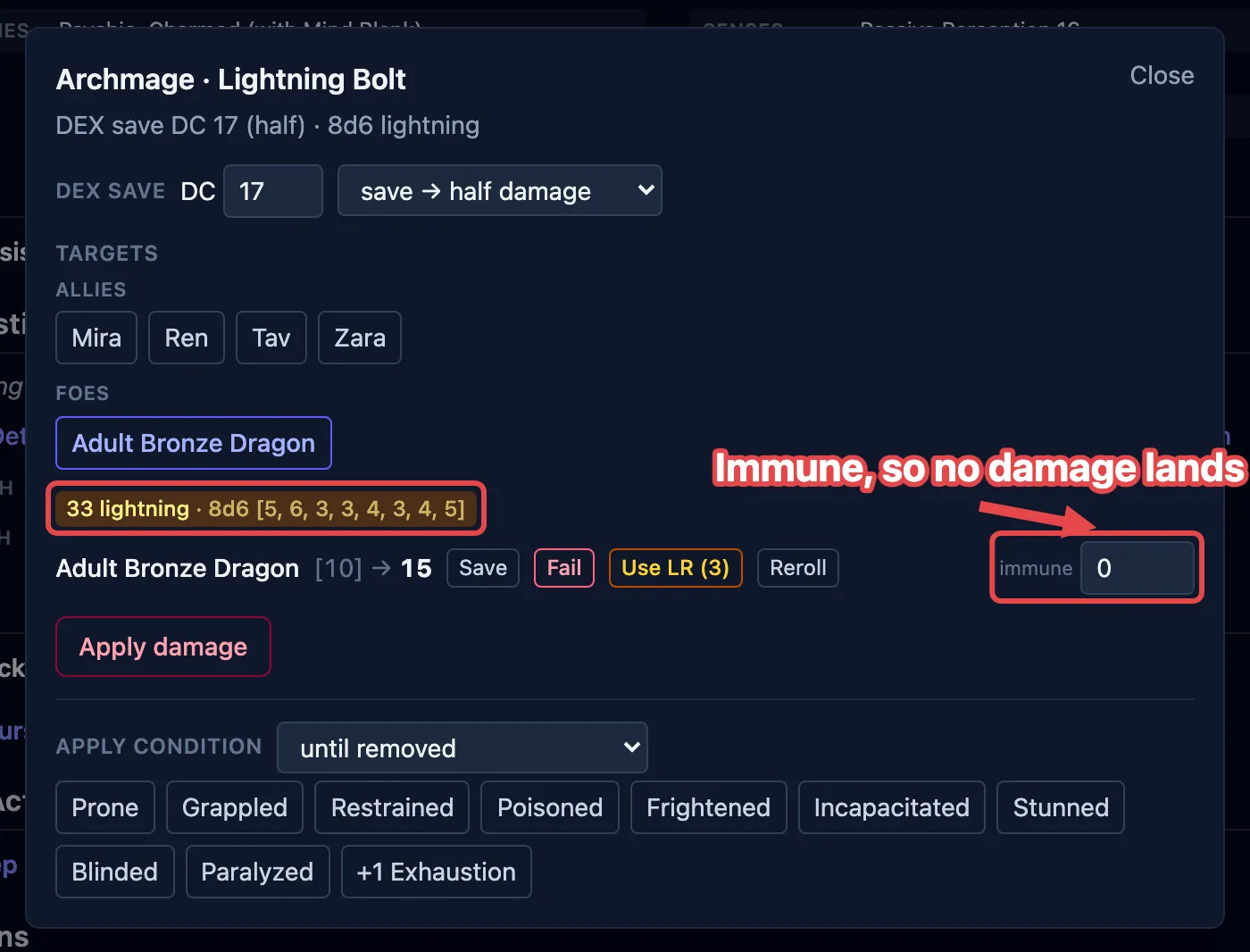
Section titled “Resistance, immunity, and vulnerability”OpenFray knows a creature’s defenses from its stat block and works them into the damage for you:
- Resistance halves the damage of that type, rounded down (
7becomes3); - Immunity takes it to zero;
- Vulnerability doubles it.
Each damage pill shows the type and the final amount, with a label like resisted when a defense changed it. This works for players too, as long as you’ve given the character its defenses, in the Add PC form or on a saved character. If a player has none recorded, there’s nothing to apply, so adjust the Damage field yourself before applying.
Casting an attack spell
Section titled “Casting an attack spell”An attack-roll spell (Fire Bolt, Chromatic Orb) uses this same box. Cast it from a creature’s stat block and its attack bonus is filled in. Cast it from Cast spell without naming a caster (for a player’s spell) and you type the Spell attack bonus yourself. See Cast a spell.