
Creatures, players & quick adds
Every combatant in a fight is added in one of three ways. The difference is how much OpenFray knows about them, and that decides what it can do for them: it rolls for the combatants it has numbers for, and asks you for the rest. This page explains the three kinds; the buttons that add them are covered in Getting started.
Creatures
Section titled “Creatures”A creature comes from the compendium, through the Add creature button in the top bar.
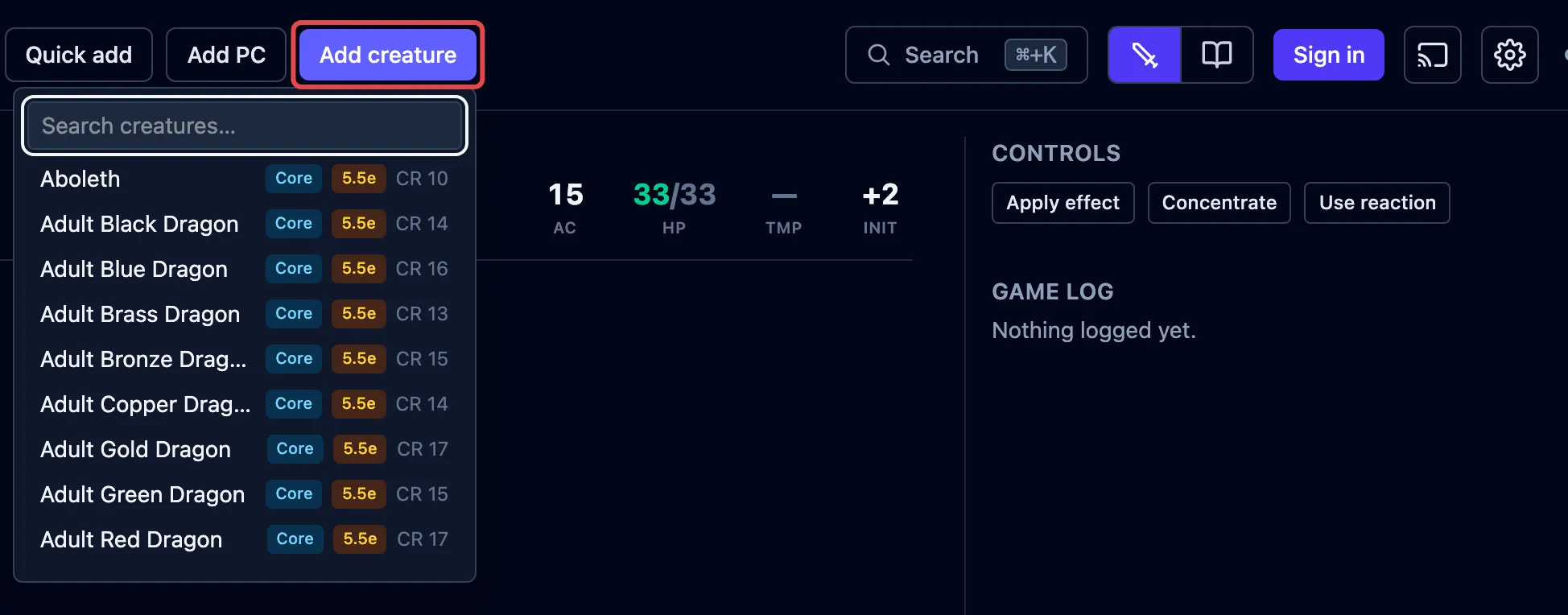
You get the whole creature: its abilities, attacks, reactions, legendary actions, and spells. OpenFray rolls its dice for you, because it has all the numbers.
When you add a creature, OpenFray takes its own copy. Editing the creature in the library later won’t touch one already in a fight, and damage or spells used in a fight won’t change the library.
Players
Section titled “Players”A player character is added with Add PC. The form is short on purpose. It holds what you, the Game Master, need to see on the board:
- always: name, armor class, hit points, and an initiative bonus;
- optional: passive Perception, speed, languages, and the damage the character resists, is immune to, or is vulnerable to.
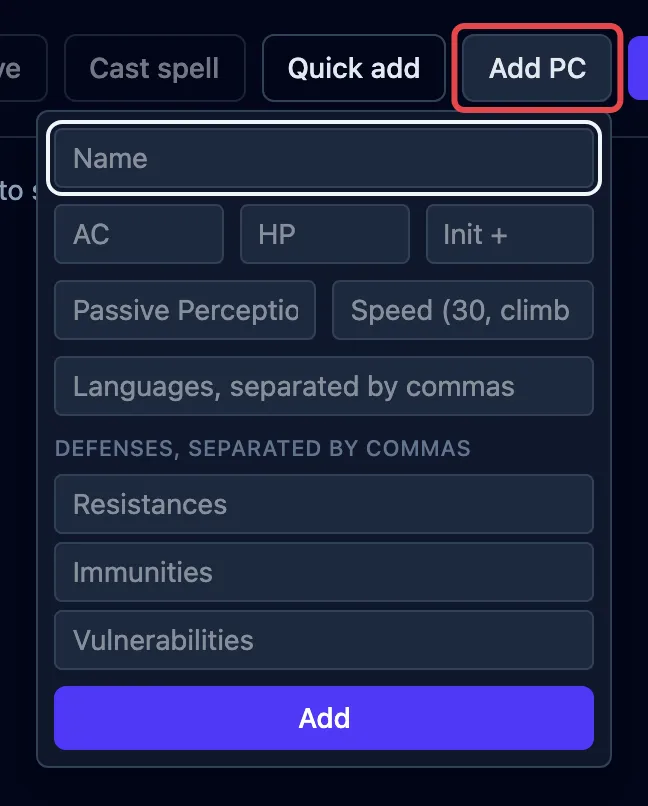
OpenFray never rolls for a player on its own. Wherever it would roll for a creature, you type in what the player rolled instead, or choose to let OpenFray roll for them. See Honest dice.
When you sign in with your Google or Discord account, you can save your player characters and add them from the compendium instead:
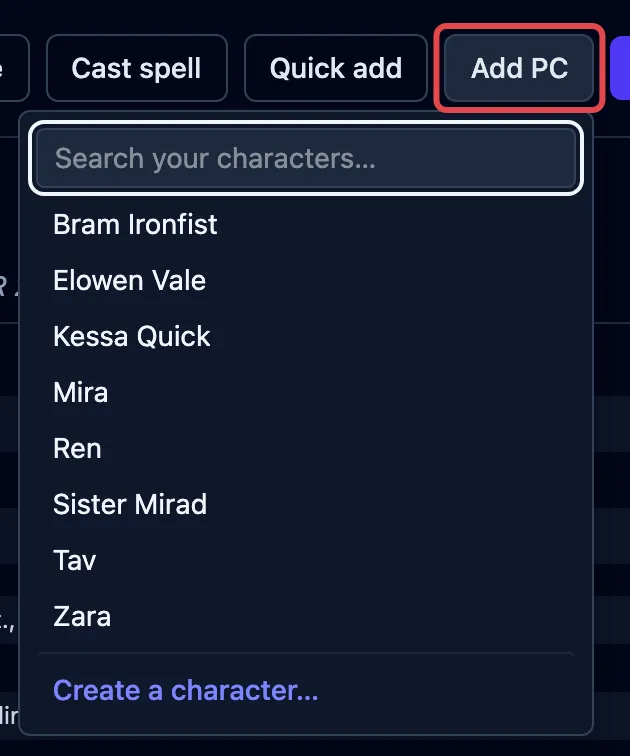
A saved character can carry ability scores, private notes, class, level, and worn armor. These can supply four numbers:
- Armor class: tick Calculate AC automatically to use armor, shield, and ability scores, including Barbarian and Monk unarmored formulas. Turn it off to enter your own number.
- Initiative modifier: leave it blank to use Dexterity and applicable class bonuses. Type a number to override the calculation.
- Spell attack bonus and spell save DC: these use class, level, and ability scores when you cast a spell. You can change the numbers for the cast. Unsupported classes and multiclass characters leave them for you to enter.
Other character details remain yours to write.
Quick adds
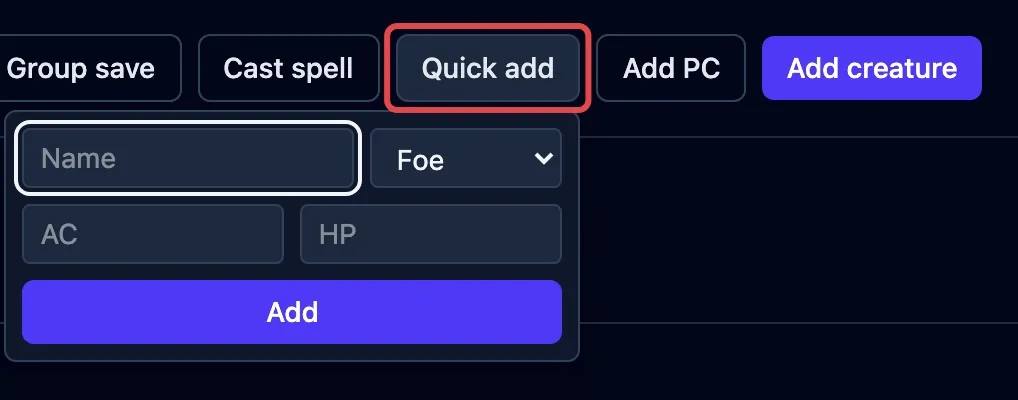
Section titled “Quick adds”Quick add drops in something you’re inventing on the spot and won’t reuse. It takes just a name, hit points, armor class, and whether it’s a Friend or a Foe.
Allies
Section titled “Allies”A creature from the compendium is a foe unless you say otherwise. When one fights for the party (a summoned wolf, a hired guard, an ogre the bard has just charmed), select it and click Make ally in the controls beside its stat block.
An ally moves in with the players in the tracker, takes the blue row color, and is offered as an ally when you pick targets. It stops counting toward how hard the fight looks and the experience in the end-of-fight summary. On the shared player view it shows in full, like a player character.
The button reads Ally once it’s one. Click it again to put the creature back on the other side, mid-fight if the charm wears off.
Copies and renaming
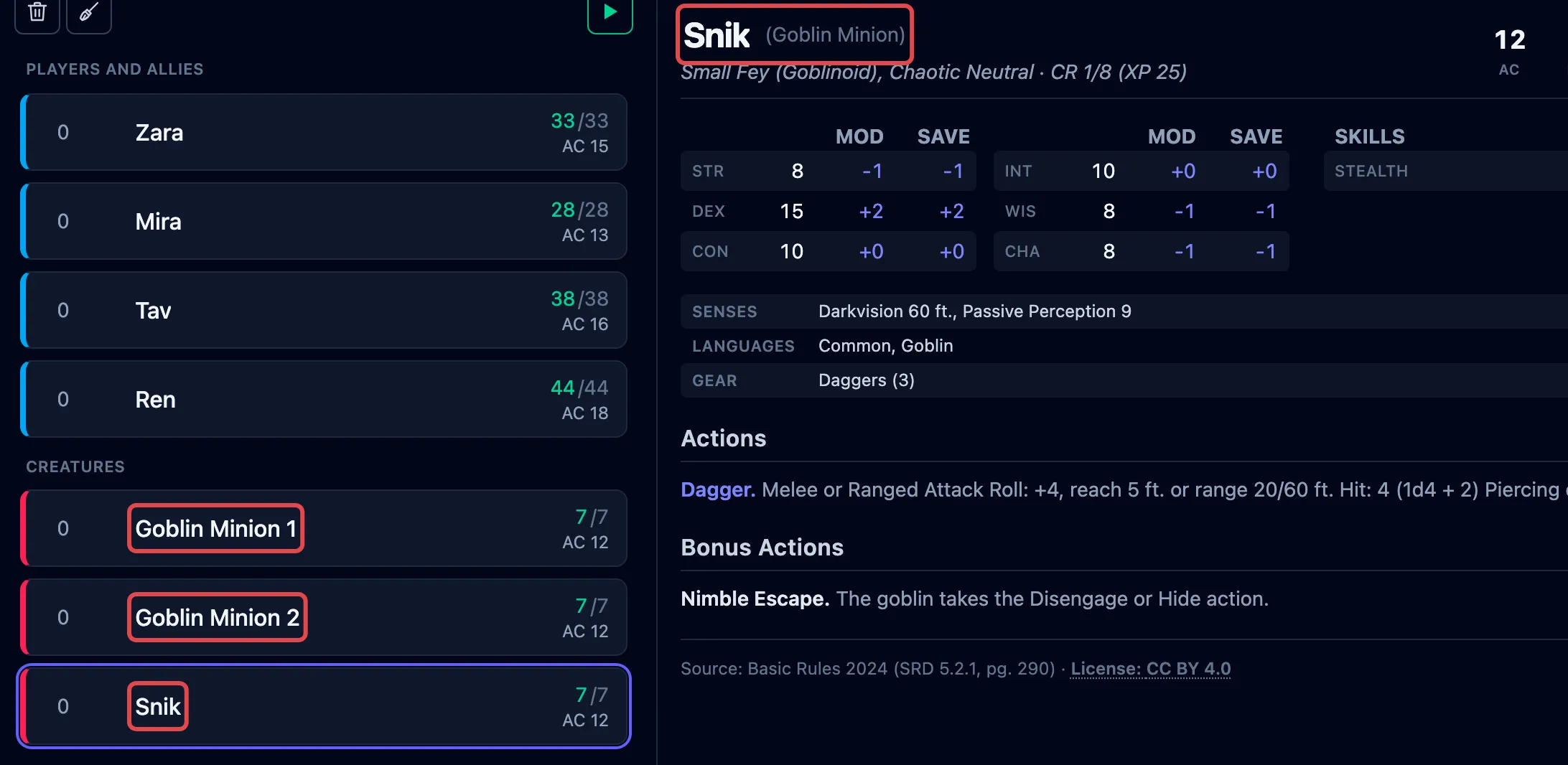
Section titled “Copies and renaming”Add the same creature more than once and a number is added to each new name, so you can tell them apart. The stat block keeps the original name. If you rename one yourself, it shows your name with the real one after it (for example Snik (Goblin)), so you always know what it is.
What each row shows
Section titled “What each row shows”Once a combatant is on the board, its tracker row shows initiative, name, hit points, and armor class, and you change hit points right there. The full tour of a row is in The tracker.