
Rest & clear the board
Between fights the party rests, and you clear the board for whatever comes next. This page covers both. The rest buttons are the campfire (short rest) and the tent (long rest), in the top bar to the left of Group save.

Rests are disabled while a fight is running. You can’t rest mid-combat, so OpenFray grays them out until you stop. They’re grayed out on an empty board too, along with Group save and Cast spell: the three keep their places in the bar rather than disappearing, so you always know where to look for them.
Short rest
Section titled “Short rest”Click the campfire. OpenFray doesn’t guess how much anyone recovers; it asks you, because the players are the ones deciding. You get a list of everyone friendly, each with a box:
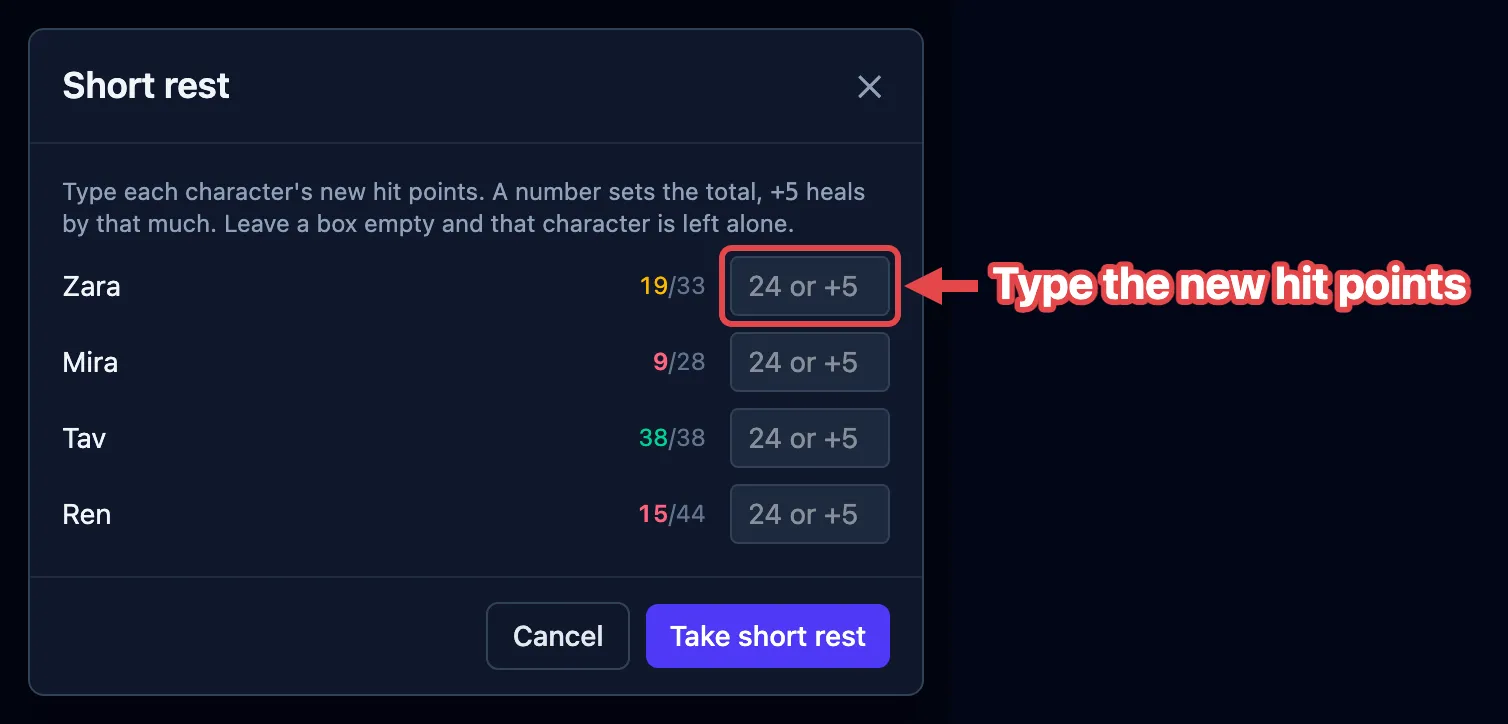
In each box you can:
- type a number to set that character’s hit points outright, as in “I’m on 24 now”; or
- type
+7to add that much to what they have.
Leave a box empty and that character is left alone. Nobody is healed unless you say so, and current hit points are tinted by how hurt each one is, so you can see at a glance who still needs attention.
If you’re signed in, OpenFray also counts how many short rests the party has taken since their last long rest, and puts the number in the corner of the campfire button, at every width. That count helps with abilities that come back on a short rest. Point at it and it says what it is.
Long rest
Section titled “Long rest”Click the tent, and confirm. This one needs no input. OpenFray applies the lot to every friendly creature:
- hit points go back to full;
- concentration ends;
- effects set to last less than eight hours are cleared: the 1-minute spell, the 10-round buff;
- effects of eight hours or more, and anything set to Until removed, are kept. Those are the ones you’re deliberately holding on to, so OpenFray leaves them be;
- the short-rest counter resets.
Foes are untouched.
Clearing the board
Section titled “Clearing the board”When a fight is over and you’re setting up the next one, two buttons at the top of the tracker sweep it for you. They only appear out of combat, so neither can go off mid-fight:
- the broom removes every foe and keeps your players, for the next fight in the same session;
- the trash can removes everyone and starts fresh. It also clears the game log, so use it when you’re done with that story entirely.
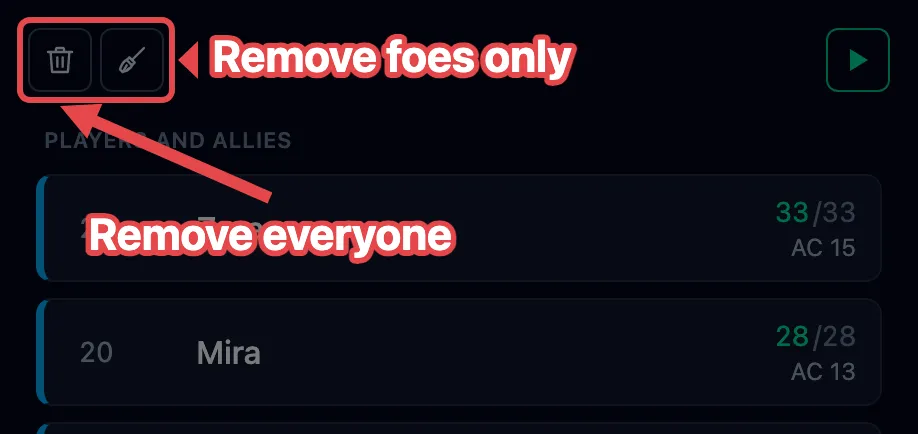
Both ask before they do it.