
The compendium
The compendium is the reference OpenFray keeps for you: every creature, spell, and effect preset in the libraries you use, plus your saved characters and campaigns. Open it with the book at the top of the screen; the same button switches you back to the fight.
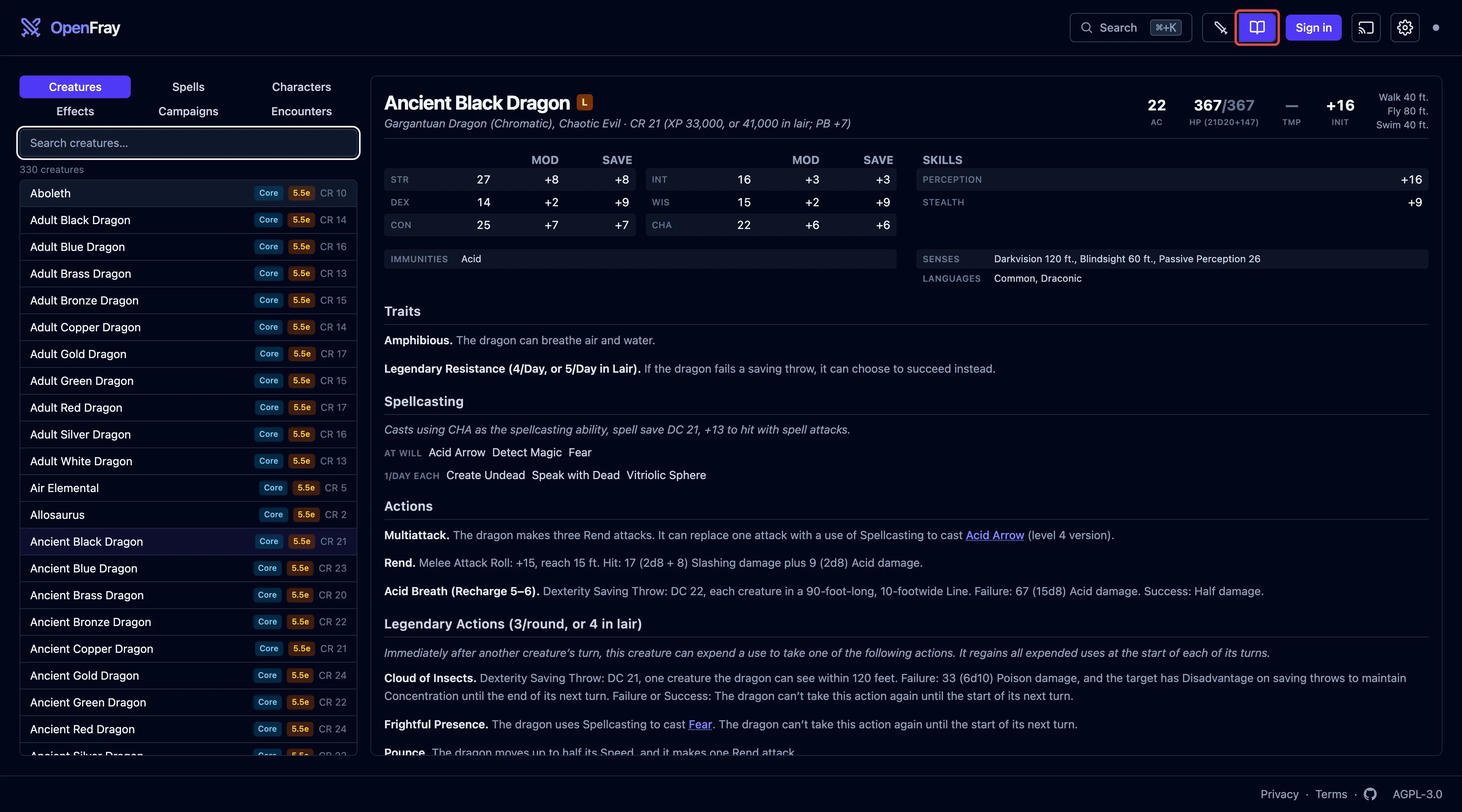
The screen has three parts:
- The tabs — Creatures, Spells, Characters, Effects, Campaigns, and Encounters.
- The list — search by name; every match shows here.
- The reading pane — the full stat block or card of what you picked, in the same layout you see during a fight.
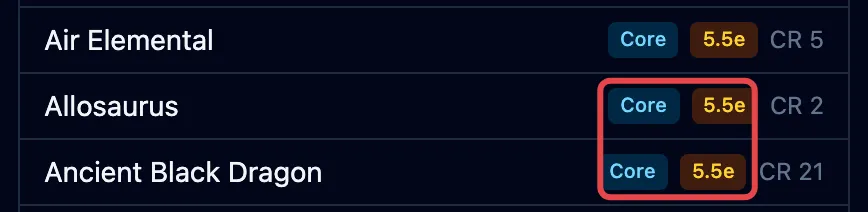
Each row in the list is badged with where it came from, so you always know which book and which rules you’re looking at:
Creatures
Section titled “Creatures”Every creature in the libraries you’ve turned on, with its full stat block. This is the same list you pick from when you click Add creature. A creature you built yourself is badged Custom.
Spells
Section titled “Spells”Every spell in the libraries you’ve turned on, with its full card: casting time, range, components, how long it lasts, and what it does. You see the same card when you cast a spell, or when you point at a spell name inside a stat block.
Characters
Section titled “Characters”Your saved players. Build a character once, with armor, hit points, abilities, resistances, senses, and private GM notes, then drop them into any fight instead of typing them in again.
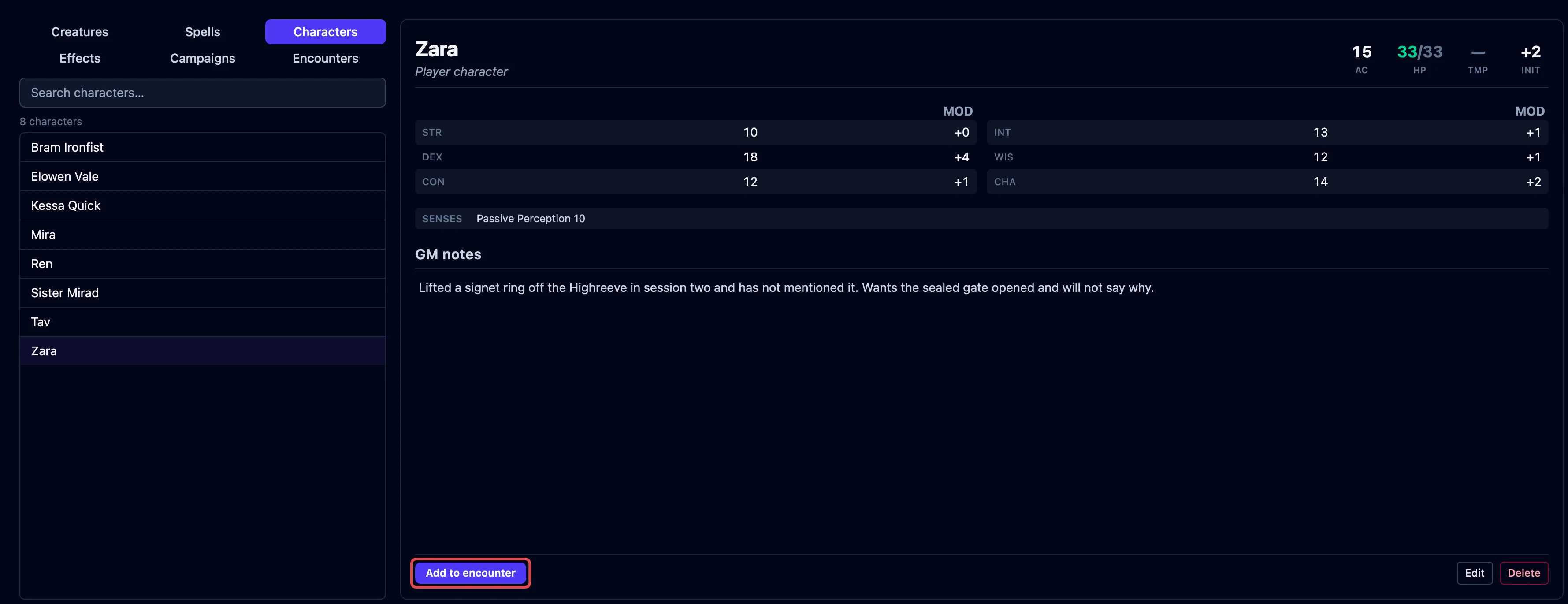
The campaign each character belongs to shows beside their name in the list, so a table’s party stays recognizable when you run more than one game. Click Add to encounter to put a character straight on the tracker.
Effects
Section titled “Effects”The effect presets you can apply during a fight: ready-made bundles like a disease stage or a level of Intoxication. The list holds the presets your libraries ship and the ones you’ve saved yourself; pick one to read exactly what it applies. You use them from Apply effect during a fight. See Presets.
Campaigns
Section titled “Campaigns”Your games and their house rules. Each campaign’s card lists its rules at a glance, and carries the private notes you keep on that game. See Set up a campaign & house rules.
Encounters
Section titled “Encounters”The fights you’ve saved to come back to. Each card shows what was on the board when you saved it, counted under Creatures, Allies, and Party, with the date and the two ways back in: Restore and Add creatures. Saving needs an account. See Save a fight for later.
Libraries
Section titled “Libraries”The compendium shows the books you’ve turned on in Settings. OpenFray ships with:
- Basic Rules 2024 — DnD 5.5e. The newer rules. On by default.
- Basic Rules 2014 — DnD 5e. The older rules. Turn this on if that’s what your table plays.
- Tome of Beasts 1, 2, and 3 — DnD 5e. Three books of extra creatures from Kobold Press.
- Creature Codex — DnD 5e. A fourth Kobold Press bestiary, around 350 more creatures.
- Brood & Bloom — DnD 5.5e. OpenFray’s own, a bestiary of parasites in three broods. One lives in people, one takes ground and buildings, and one wants only the dead. It also carries the Lazaret, the order that catalogs and treats them.
- On Strong Waters and Potent Simples — DnD 5.5e. OpenFray’s own, an apothecary’s book of drink and drugs. It adds eleven spells and a set of ready-made effect presets for the intoxication, craving, and addiction it counts. It adds no creatures.
- The Waking Garden — DnD 5.5e. OpenFray’s own, a bestiary of vegetables that have woken up, across three stages of growth.
- Homebrew creations — everything you build or import yourself. On by default.
Some spells differ between the two versions of the rules (Barkskin’s armor class, how Sleep works). Each library carries its own version, so you get the one that matches what you’re playing.
Homebrew content
Section titled “Homebrew content”You can build your own creatures and spells in a full editor, and they’re kept in your library next to the built-in ones. See Build your own creatures & spells. To bring a D&D Beyond creature across without retyping it, see Import from D&D Beyond.