
Set up a campaign & house rules
A campaign keeps one game together. It holds the rules your table uses, so you set them once and they apply to every fight you run. This page covers creating a campaign, the house rules, and picking which campaign you’re running.
Without a campaign (including everyone not signed in), OpenFray uses the 2024-first defaults: critical hits double the dice (standard), surprise is initiative with disadvantage, creatures join with average hit points, initiative ties go to the higher Dexterity, and the party levels by experience points.
Creating a campaign
Section titled “Creating a campaign”Make and edit campaigns on the Campaigns tab of the compendium:
- Open the compendium with the book at the top of the screen, and pick the Campaigns tab.
- Create a new campaign. The form asks for a name, an edition, the five house rules below, and any notes you want to keep on the game. Editing a campaign later opens the same form.
- Pick the edition: DnD 5.5 (2024) or DnD 5.0 (2014). It labels your games so you can tell them apart, and it decides which Exhaustion rules apply.
- Set the house rules, and save.
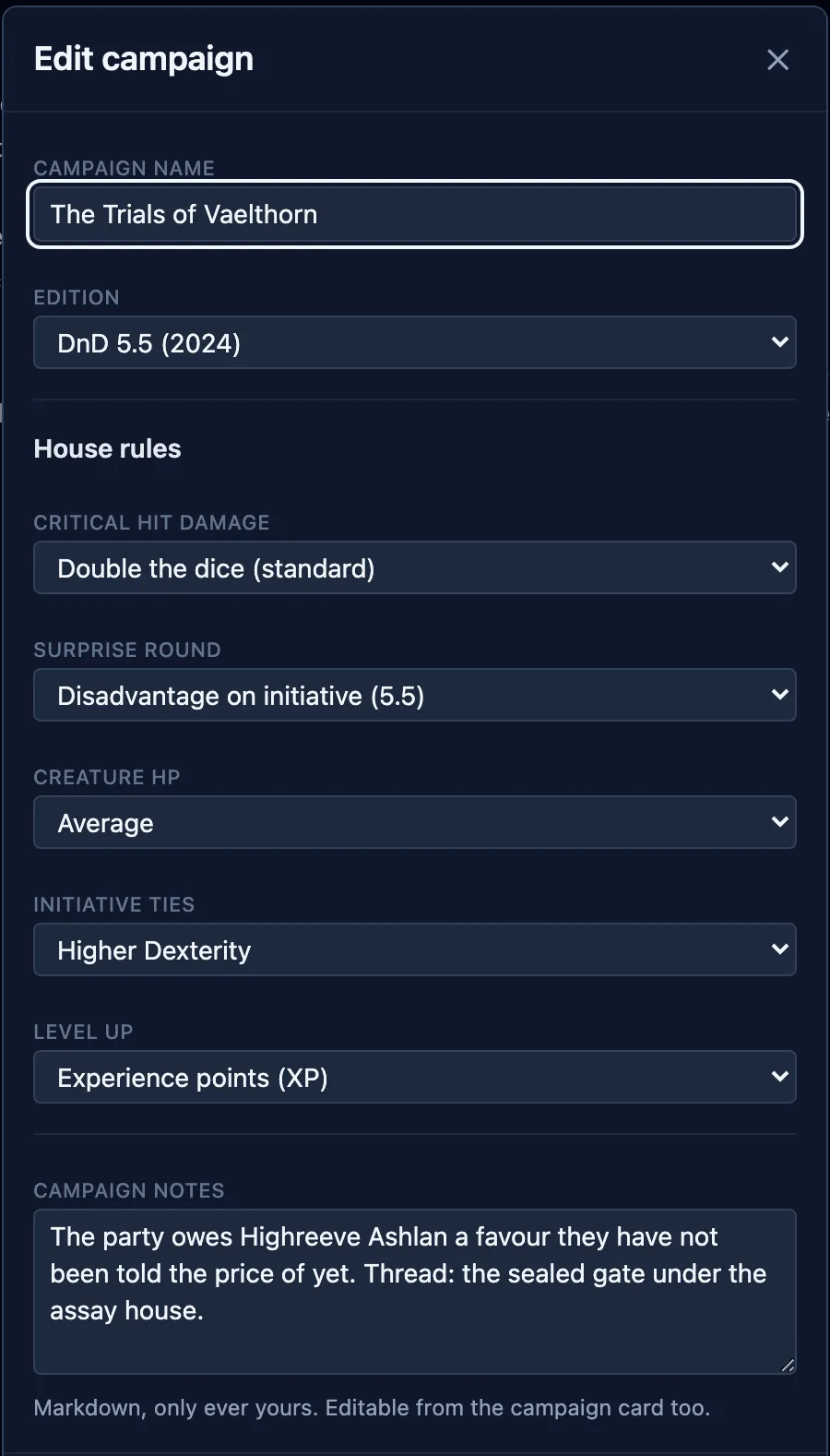
Which creatures and spells you actually see is a separate choice, in Settings, so it covers you whether or not you’re signed in.
House rules
Section titled “House rules”Each rule is a dropdown on the campaign form:
| Rule | What you can choose |
|---|---|
| Critical hit damage | Double the dice (standard); Max normal dice + roll crit dice (brutal); or Double the total |
| Surprise round | Initiative with disadvantage (DnD 5.5e); or Skip the first turn (DnD 5e) |
| Creature HP | Average, Roll, Min or Max, calculated as each creature joins the fight |
| Initiative ties | Higher Dexterity; Players first; or Manual, leaving the order to you |
| Level up | XP, or Milestone |
The crit and hit-point rules change the dice OpenFray rolls for creatures; it never rolls a player’s attack. The surprise and tie rules change the initiative order.
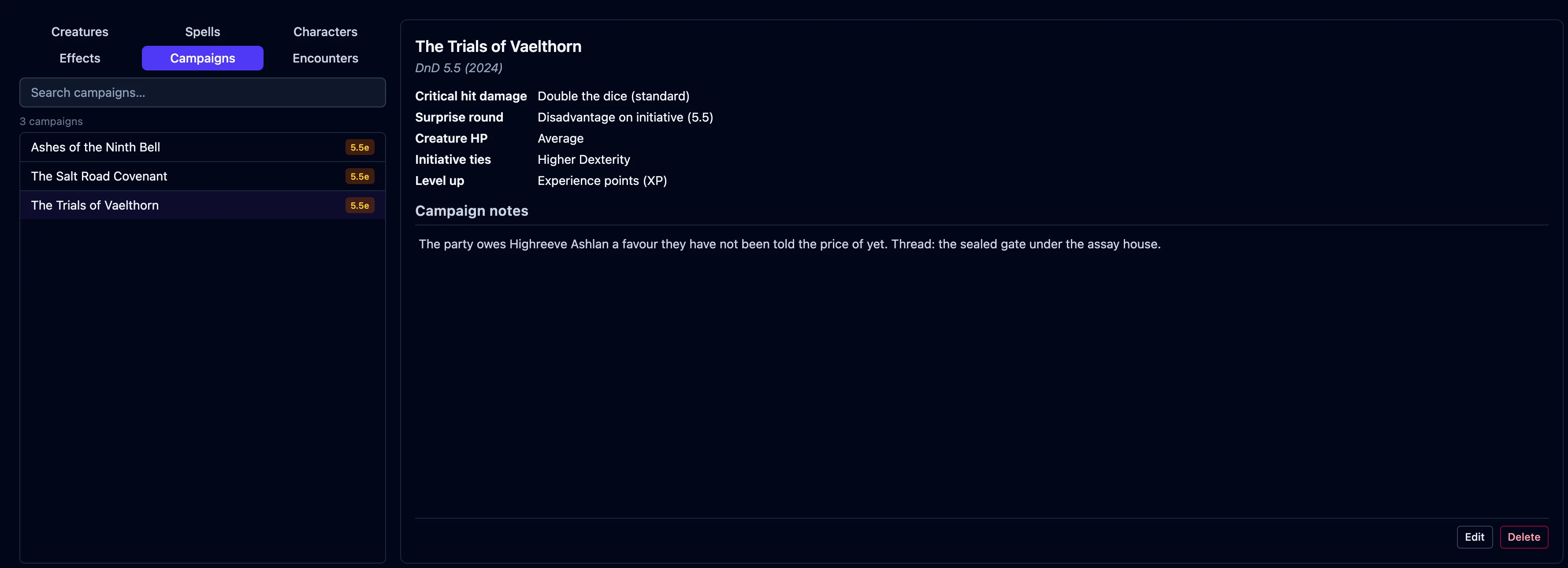
Once a campaign exists, its card lists every rule, so you can check what this table plays without opening the form:
Campaign notes
Section titled “Campaign notes”A campaign also carries Campaign notes: whatever you want to remember about this game that isn’t a house rule. The hooks you’ve planted, the threads still open, what the party owes whom. Only you ever see them, and they never reach the shared player view.
There are two places to write them:
- On the campaign form, in the Campaign notes box under the house rules, while you’re creating or editing a campaign.
- On the campaign card, without opening the form. Click the notes, type, and click
away to save. There’s no Save button. Press
Escapeto leave them as they were.
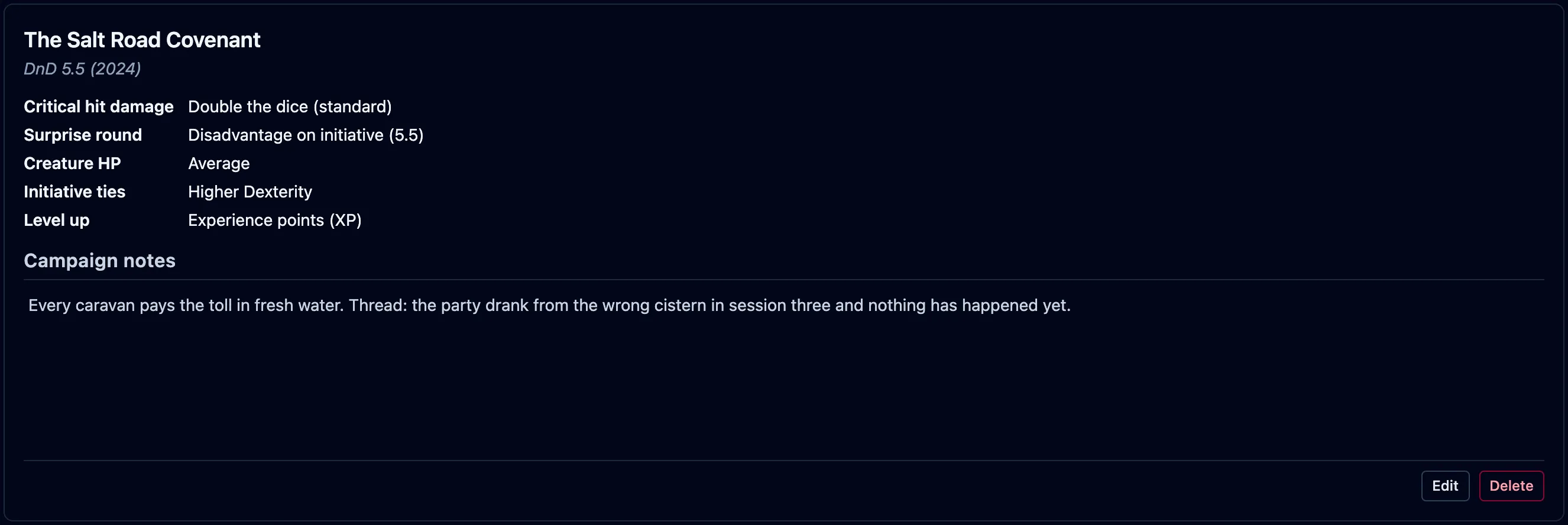
A campaign with none yet shows Add campaign notes… where they’d go. The notes take Markdown, so headings, lists, and bold text all come out formatted.
Notes belong to the campaign. A saved character keeps its own GM notes separately, on the Characters tab.
Running a campaign
Section titled “Running a campaign”Pick the campaign you’re running from the box at the bottom right of the console. That choice is what applies its rules to the fight in front of you:

Selecting a campaign doesn’t change the combatants already in the tracker. Add a creature again if its hit points should follow the new rule.
Leveling up: experience or milestone
Section titled “Leveling up: experience or milestone”The Level up rule changes what the fight reports:
- XP — the usual way. The experience points each creature awards show on stat blocks and in the end-of-fight summary, as a total and split for each player on the board (allies excluded).
- Milestone — you level the party up at story moments. Pick this and OpenFray hides experience during a fight and in the summary.
The compendium’s creature list always shows experience, whichever you pick. It is a reference either way.